Our product support portal helps you access self-serve resources, raise requests, and track the status of your requests - all in one place.
1. Access the Support Portal
To get started, open the support portal using the link:
https://support-prism-us.shopalyst.ai/support/home
You will be prompted to sign up using your registered email ID (Same as your work ID that is enrolled for Shopalyst PRISM) first.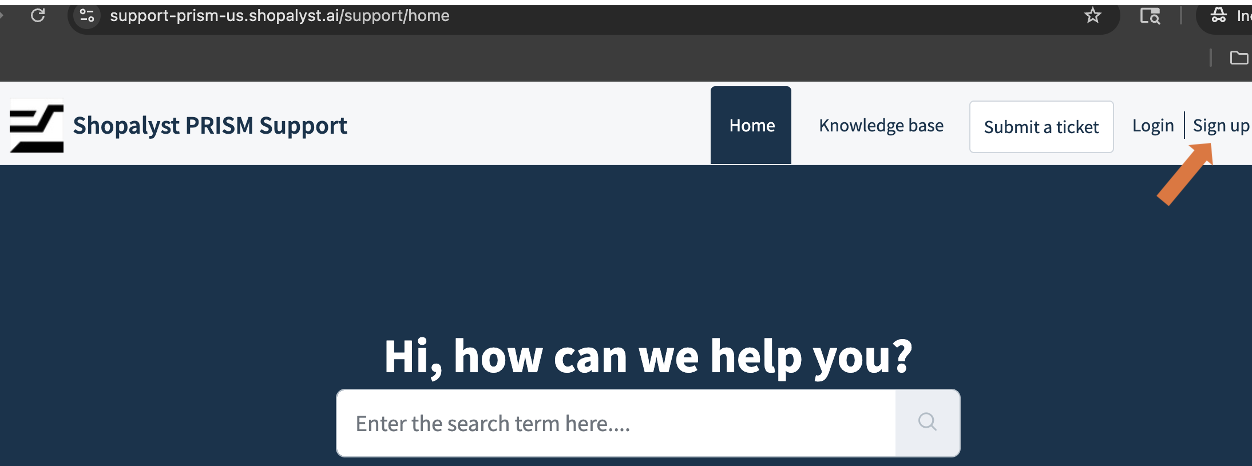
Once signed up, you can begin accessing all features of the portal.
You will see three main sections:
- Knowledge Base
- Submit a Ticket
- Tickets
2. Knowledge Base
This section contains self-service help guides that can help you navigate through the Shopalyst PRISM portal. You can search or browse through topics to find relevant instructions and explanations.
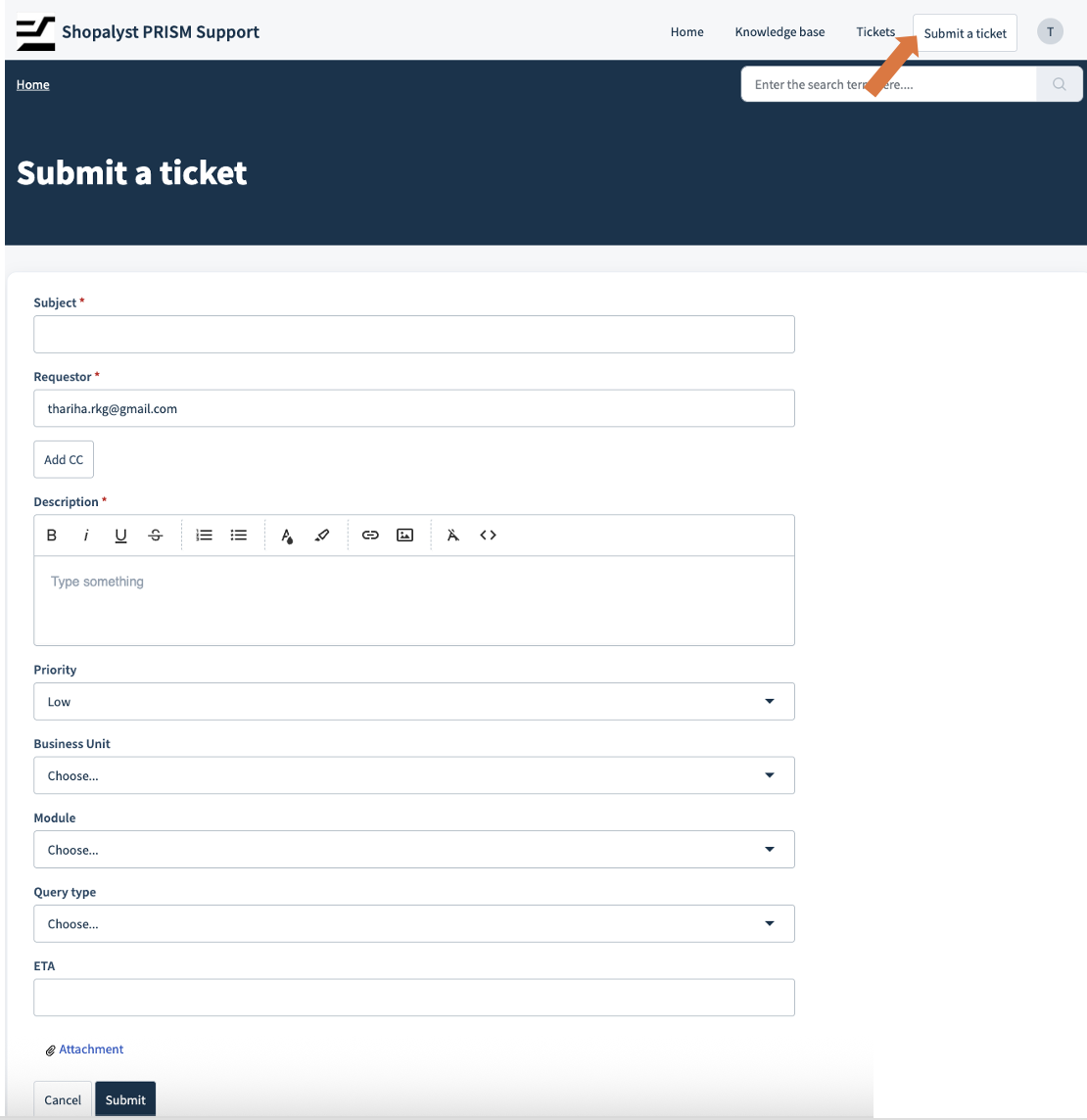
3. Submit a Ticket
Use this option when you need direct help from our product support team.
When submitting a ticket, provide as much detail as possible to help us resolve your query or serve your requirement faster and more accurately.
4. Tickets (Track Your Requests)
The Tickets section shows all the requests you have raised.
Here you can:
- View all your tickets in one place
- Check current status (Open, Awaiting your reply, etc.)
- Track ETA or expected resolution timelines
- Review updates and responses from the tea
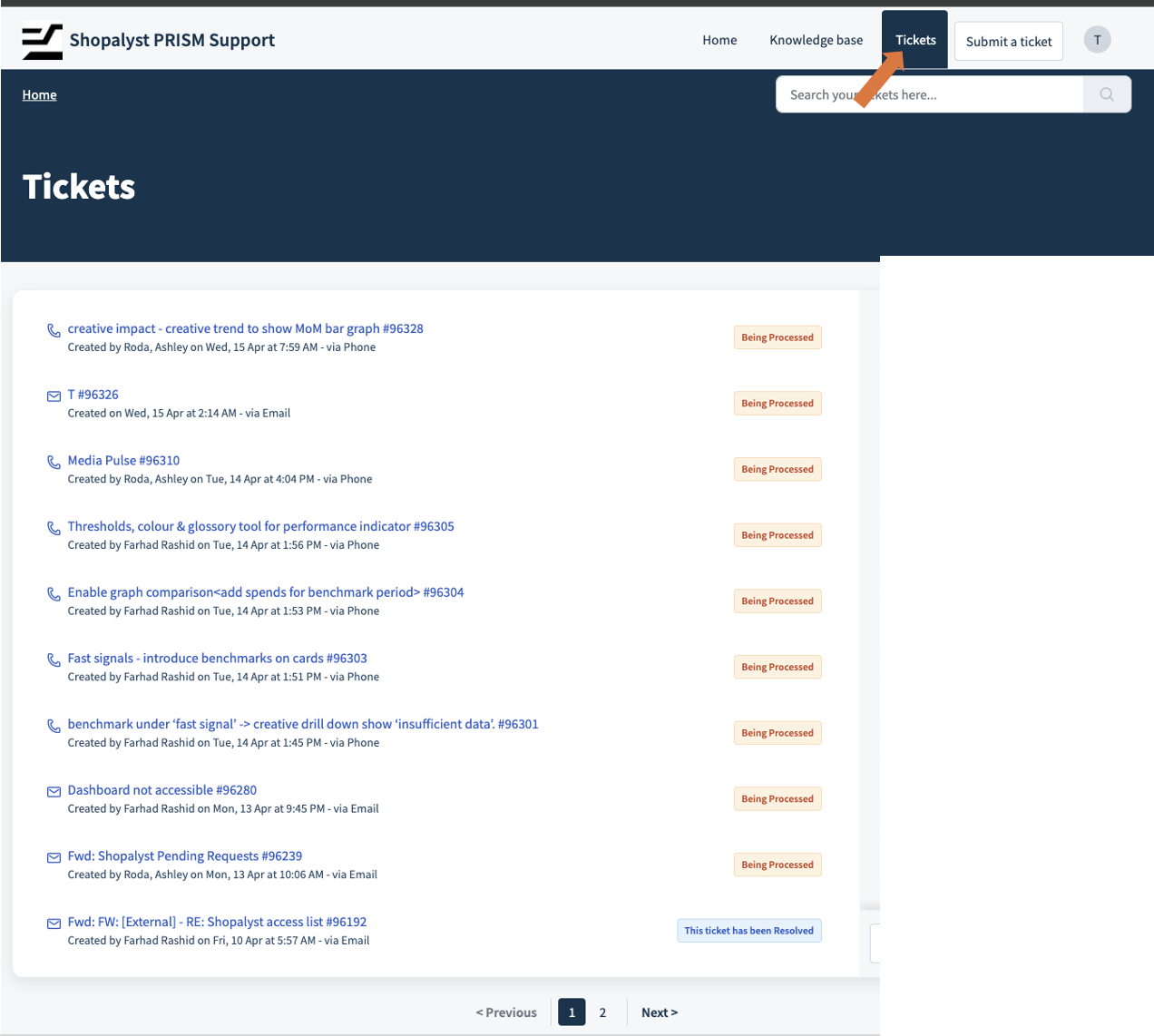
Click on any ticket to view full details, ongoing communication, and progress updates.
FAQ
1. Are there any other ways to raise a ticket?
Yes, simply drop a mail to sl-prism@shopalyst.com that creates a ticket automatically under your ID
Was this article helpful?
That’s Great!
Thank you for your feedback
Sorry! We couldn't be helpful
Thank you for your feedback
Feedback sent
We appreciate your effort and will try to fix the article